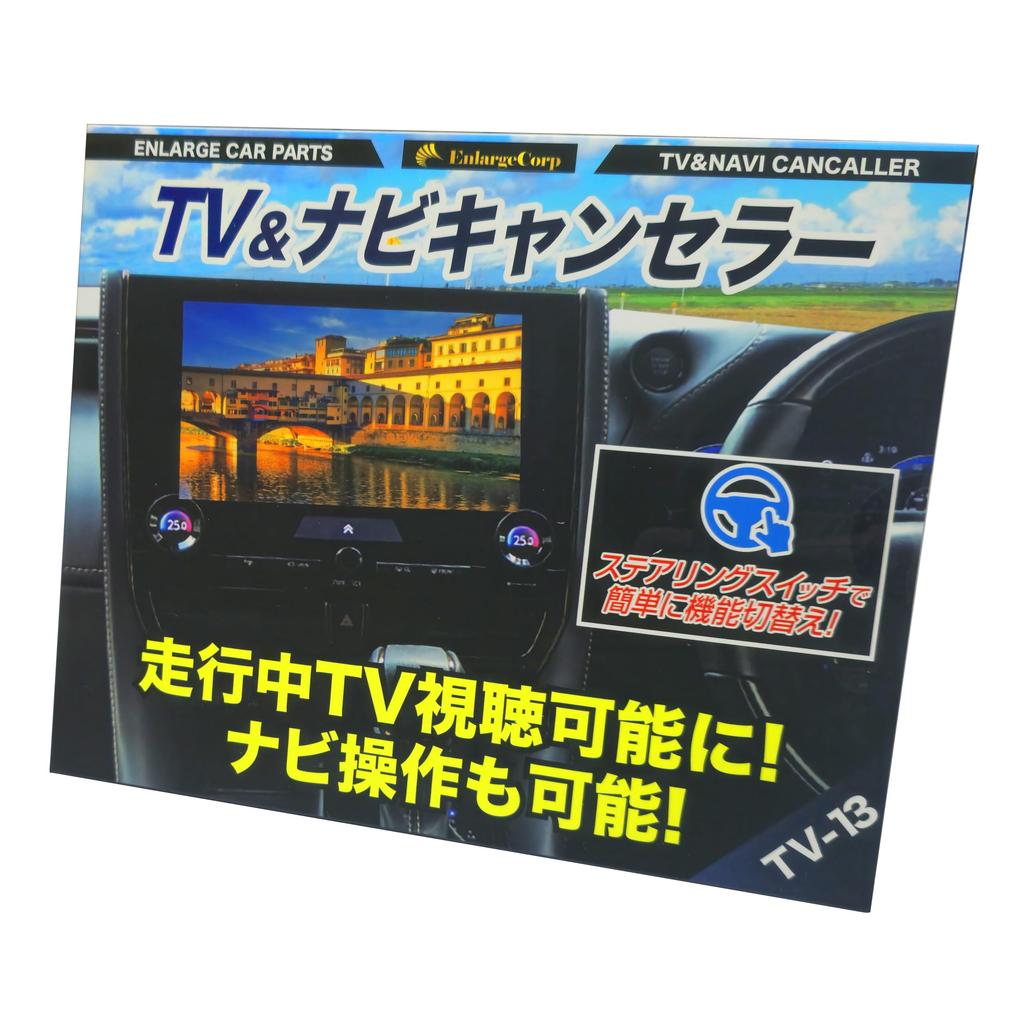
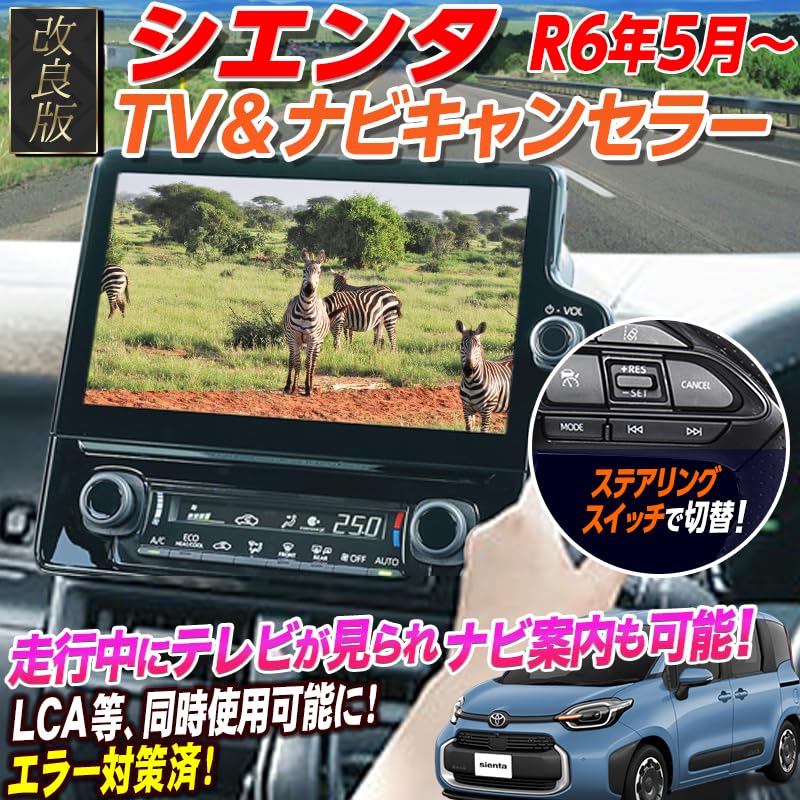
Watch TV while driving. During long distance drives, traffic jams, children and other passengers operate TV, DVD, or navigation while traveling comfortably
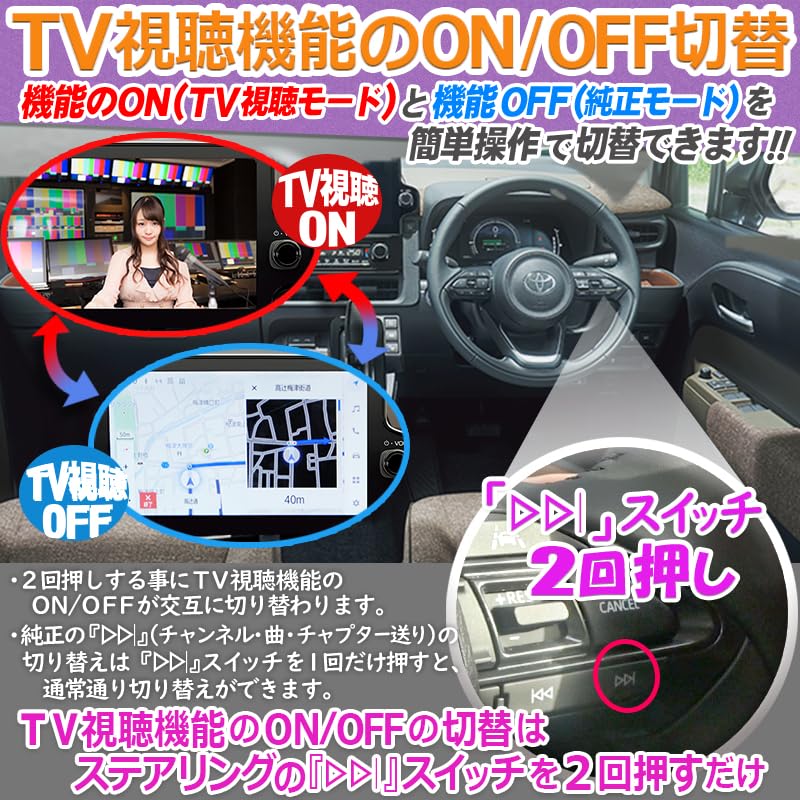
This product be switched between functions with the steering switch. You switch between the handles without having to release your hands from the handle. Also, it does not feel the aftermarket switch, so it be used like the original function!
OBD Inspection & Vehicle Inspection Supported: This product has been tested by a dealer to confirm compatibility. OBD vehicle inspection. (However, if you do not remove the terminal during installation, there will be an error in OBD and will not pass OBD vehicle inspection.)
How to Install: Connect the product by inserting between the 3 parts of the original couplers on the back of the navigation. Compared to the previous product, there are more connection points on the back of the navigation system. When installing, be sure to remove the negative terminal of the before installing. Operation without removing the negative terminal may result in an error and may not pass through OBD vehicle inspection
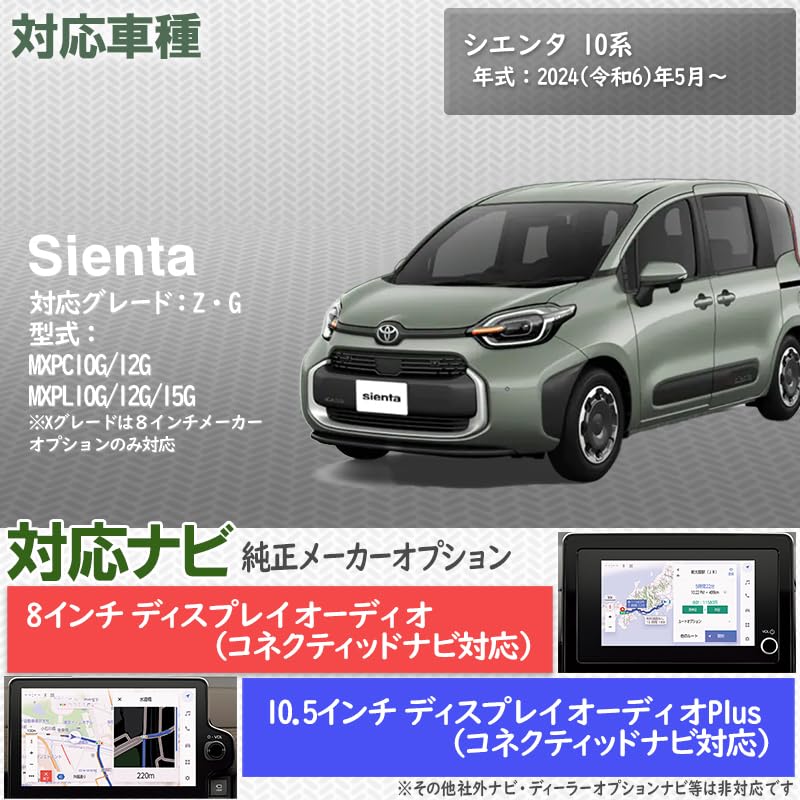
[Compatible models] Sienta Model: MXPC10G/12G, MXPL10G/12G/15G Year: *May 2024 (Reiwa 6) and up (years before the left are not compatible). Other [Compatible Navigation] Display Audio (Compatible with Connected Navigation) Plus 12.3 inch *RS and Z Grade is standard equipment; X Grade is manufacturer optional; Display Audio (Compatible with Connected Navigation) Plus 12.3 inch Standard Equipment is G Grade
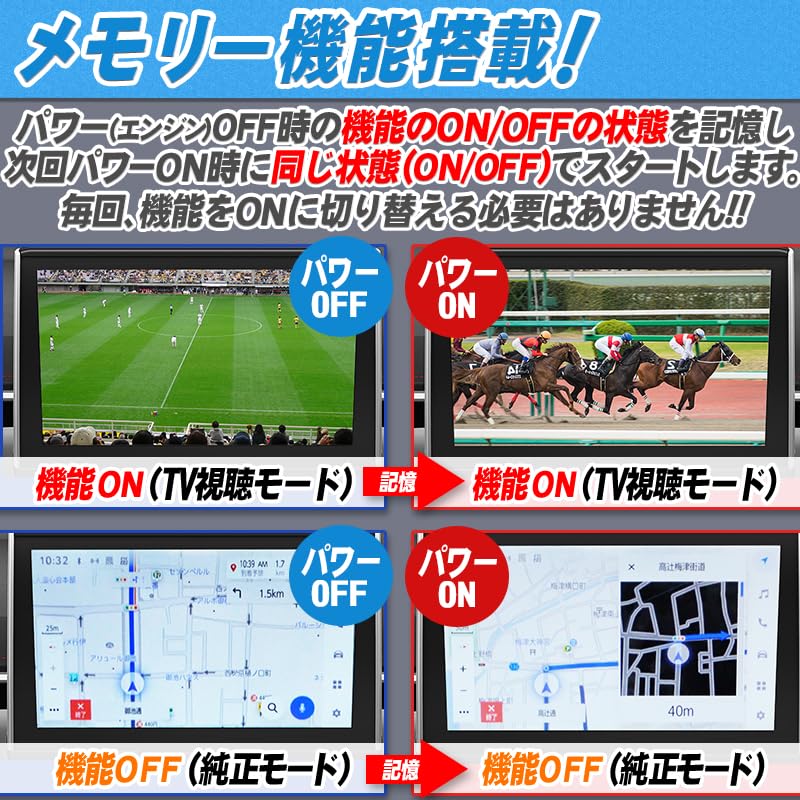
[Function On/Off Method Product TV-13] If the engine is on the side, simply press the forward switch ">" twice to turn the TV function on or off
Coupler ON design! The end of the wiring of the product is designed with a coupler on design! There is no need to modify wiring such as taps, so you install it without damaging the wiring of your car. It is easy for anyone to install it because it is easy to install because it is easy to use by the beginners
[Product Details] TV / Navigation Canister Wiring x 1; Common Installation Instruction Manual (English language not guaranteed) Please see installation video for installation guidance. There is no installation video on the back of the navigation system for installation of the product wiring. Please be aware of The color and shape of the wiring and coupler may differ depending on the arrival time
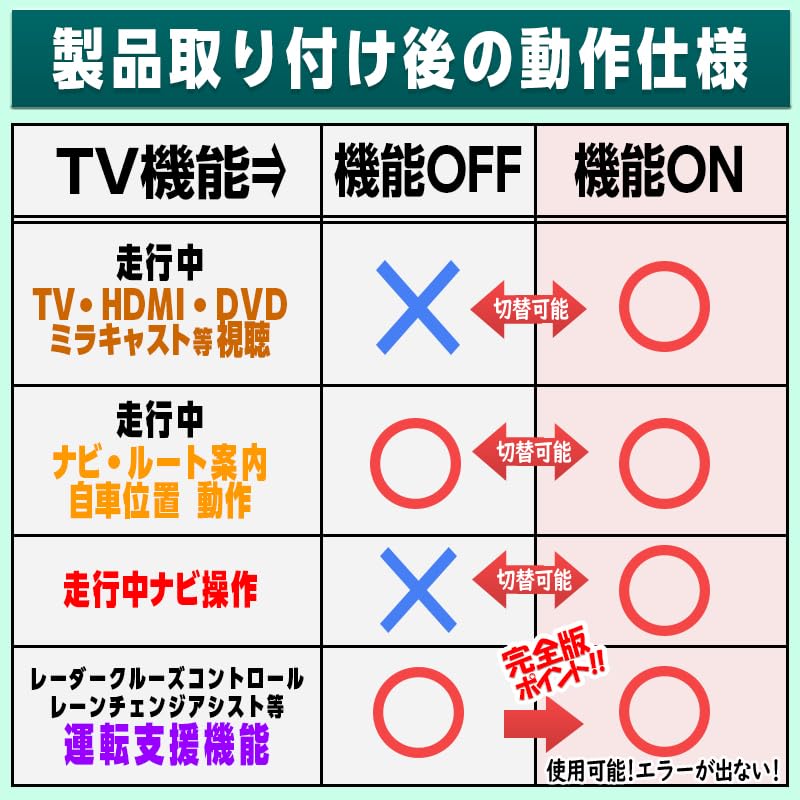
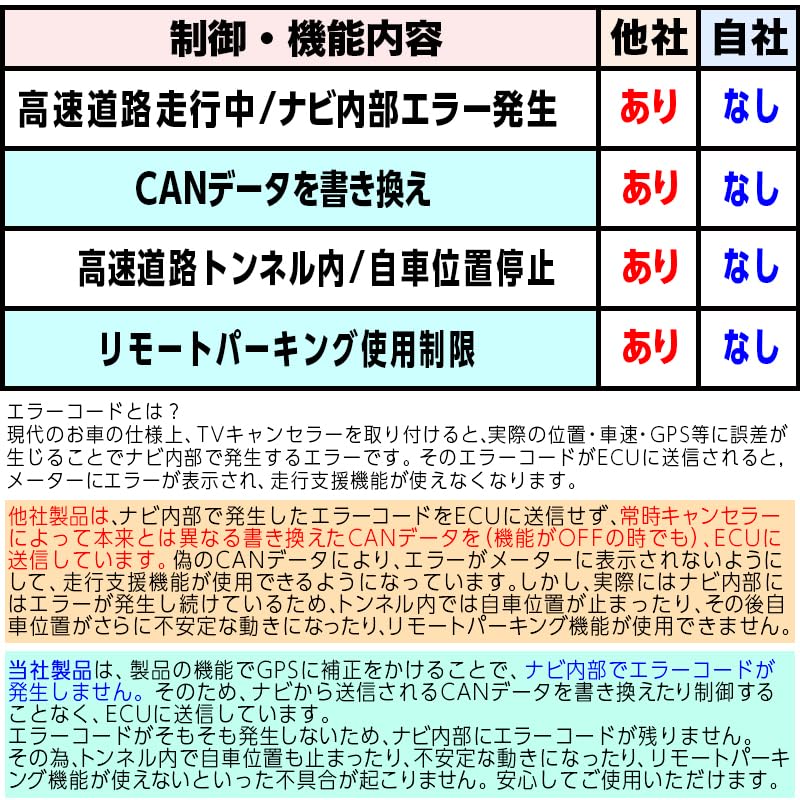
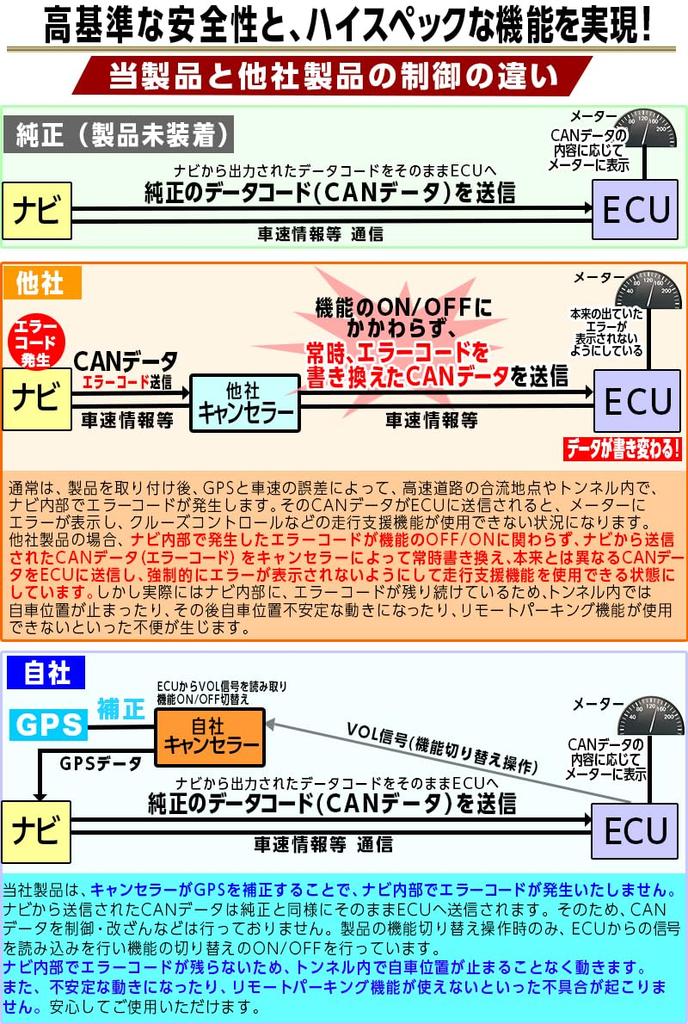
Improved December 2024 to complete version Ver. 3.0! Radar Cruise Control, Lane Change Assist, and be used simultaneously. The information from the GNSS (GPS) antenna and error caused by the difference in the information of the car speed pulse linked with the tire rotation, the GNSS antenna data is corrected for a periodic period, and adjust the GNSS data that is sent to navigation to adjust mismatches. Avoid the cause of faulty beforehand before you get an error! Compared to the original error version of our store, we have evolved the use of the product function and driving aid functions simultaneously and evolved to a stable product specification
Basically, we achieved product functionality without using data. (This product features are only monitored by the steering switch switch, error monitoring, etc.) While watching TV, you still use the driving aid functions (LCA, LTA, radar cruise control, advanced drive, etc.), of course, it will not force it back to the navigation screen like other products on high speeds. In addition, compared to the previous product of the Error Compatible Version, the navigation location of the navigation system in the tunnel will not stop
We will only accept returns if the item is different from the picture shown
on the product page or is not in the same condition as the product description.
All items are 100% authentic: we verify authenticity before selling.


 No-delivery refund