---------------------------------------------------
【Condition】
Please check the product description and photos for the condition.
Some items may have not been tested or may show signs of use.
【Included Items】
Accessories are limited to those shown or mentioned in the product description.
Items such as manuals, boxes, or cables are not included unless specifically stated.
【Product Specifications and Firmware】
Some Japanese domestic models may have limited functionality overseas.
Please check compatibility before purchase.
【Voltage Compatibility】
Our products are selected to support international voltage ranges (e.g. 100–240V).
However, please make sure your local voltage is compatible before use, as incorrect voltage may still cause malfunction.
【Plug Type】
Our products use Japanese plug types (A or B type).
Please use a conversion adapter if necessary.
【Important Note on Transformers and Adapters】
A transformer adjusts voltage to match your device’s requirements.
A conversion adapter only changes the plug shape and does not adjust voltage.
Using only a conversion adapter without a transformer may result in damage to the product.
【Liability】
We are not responsible for malfunctions or damages caused by improper use, such as operating the product without appropriate voltage or equipment.
---------------------------------------------------
Screen: 10.3-inch HD Carta 1200 glass screen with flat cover lens Resolution: 2480x1860 (300 ppi) Touch: BOOX stylus touch (4,096 levels of pressure sensitivity) + capacitive touch CPU: 2.4GHz octa-core RAM: 4GB ROM: 64GB Connectivity: Wi-Fi (2.4GHz + 5GHz) + BT 5.0 G-sensor for auto-rotation No front light
OS: Android 12 Document formats: PDF, CAJ, DJVU, CBR, CBZ, EPUB, AZW3, MOBI, TXT, DOC, DOCX, FB2, CHM, RTF, HTML, ZIP, PRC, PPT, PPTX, EPUB3 Image formats: PNG, JPG, BMP, TIFF Audio formats: WAV, MP3 Supports third-party apps
Buttons: Power button USB-C port (supports OTG or use as audio jack) Built-in dual speakers Built-in microphone Battery: 3,700mAh Li-ion polymer Dimensions: 235 x 183 x 4.6mm (9.3" x 7.2" x 0.18") Weight: Approximately 375g (13.2oz)
Pen-screen integration and app compatibility: E Ink screens work differently than LCD/OLED panels, prioritizing eye comfort over dynamic refresh rates. Many third-party apps are optimized for traditional displays, not E Ink's slower refresh rate. This mismatch can cause delays in pen response and app rendering, but this is due to a fundamental limitation of E Ink technology, not a defect in the device.
Touchscreen sensitivity: E Ink screens refresh gradually to save power and reduce flicker. This can make touch less responsive during quick movements, but this is a deliberate trade-off between efficiency and visual comfort.
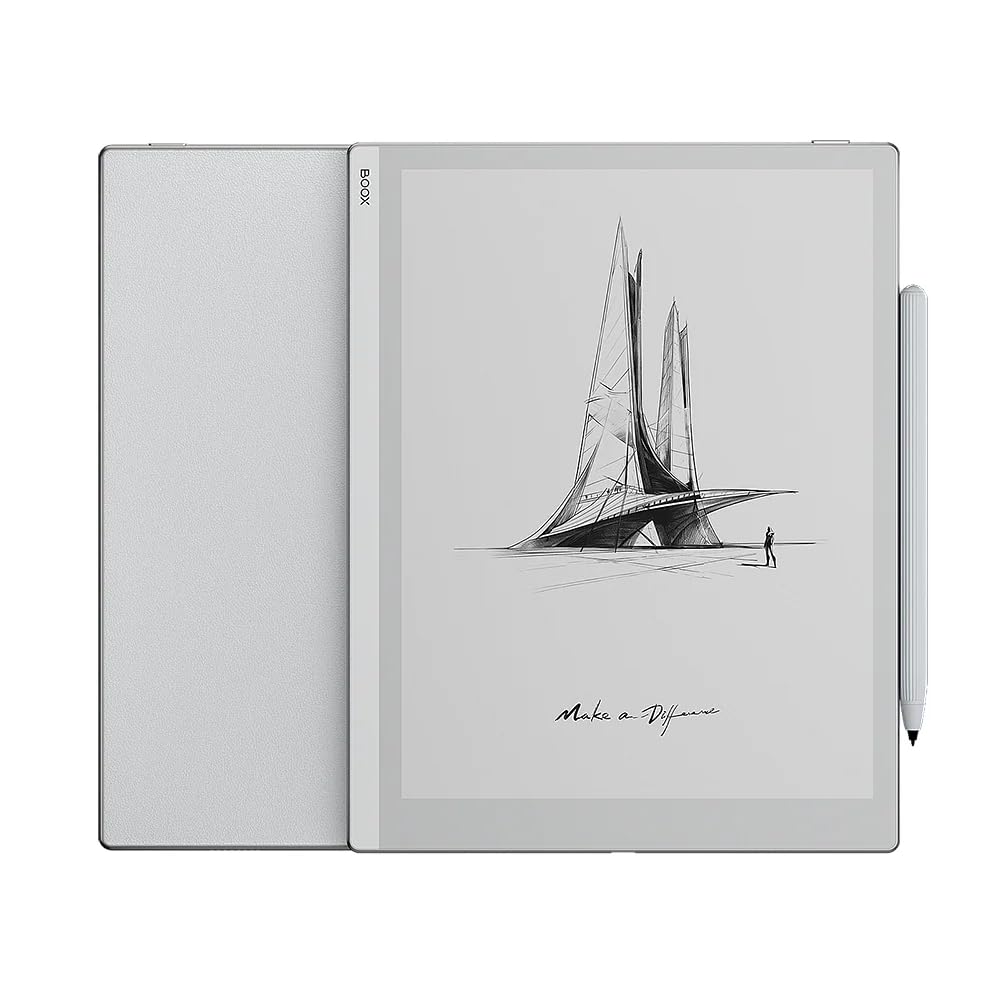
[Product Overview] The BOOX Go 10.3 is a multifunctional e-paper tablet developed with the latest technology. Its compact design, measuring just 4.6mm thick and weighing 375g, makes it easy to carry. The back note pattern provides a paper-like feel, combining the comfort of a real notebook with the flexibility of a digital device. The simple and sleek light gray design, with no buttons on the front panel and all ports neatly arranged around the bezel, creates a minimalist and clean look. [Display and Reading Features] The Go 10.3 features a high-resolution 300 PPI display, ensuring every word is clearly visible. Its eye-friendly Carta 1200 technology makes it ideal for enjoying monochrome content. The lack of a front light allows for comfortable reading, even in bright sunlight. It also supports 25 digital formats, allowing you to read books in a variety of formats, including EPUB and PDF. The auto-rotation function ensures the device is always displayed in the correct orientation, regardless of how you hold it. Built-in Google Play
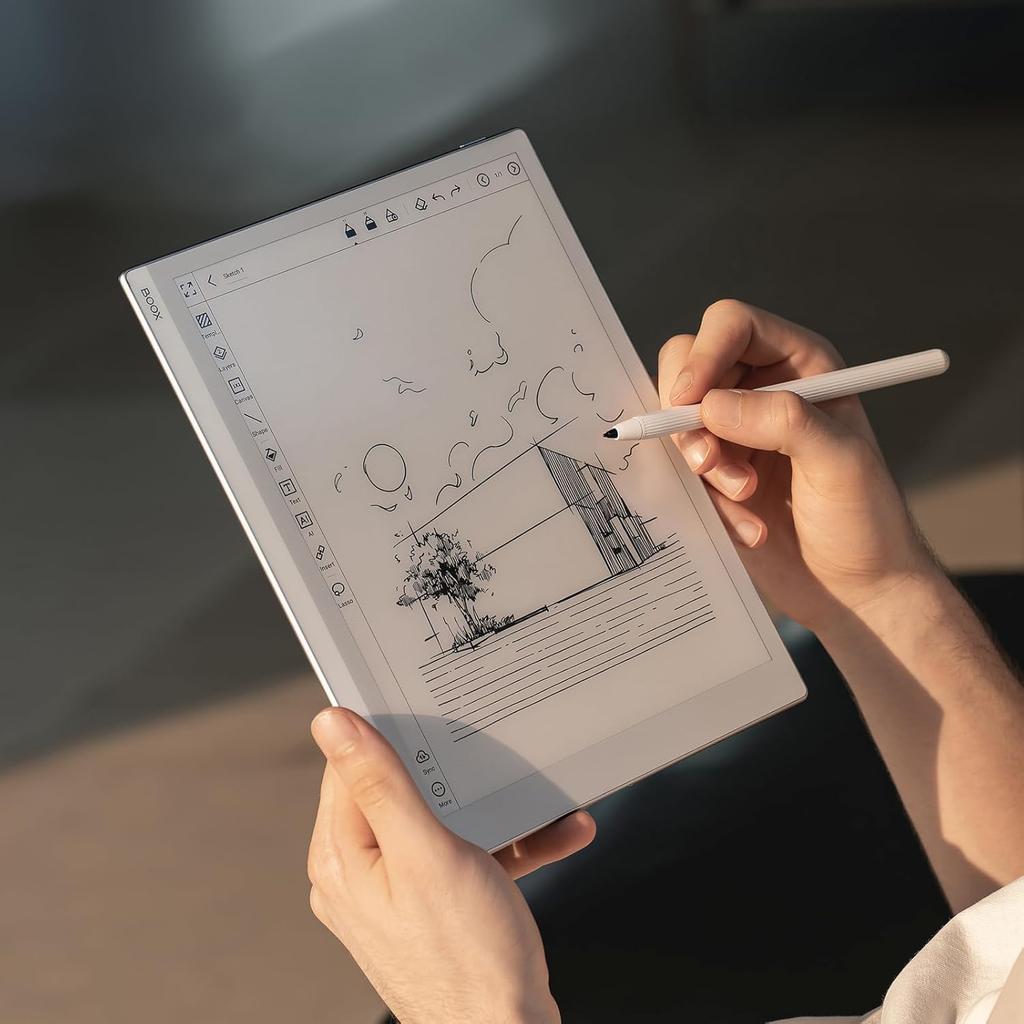
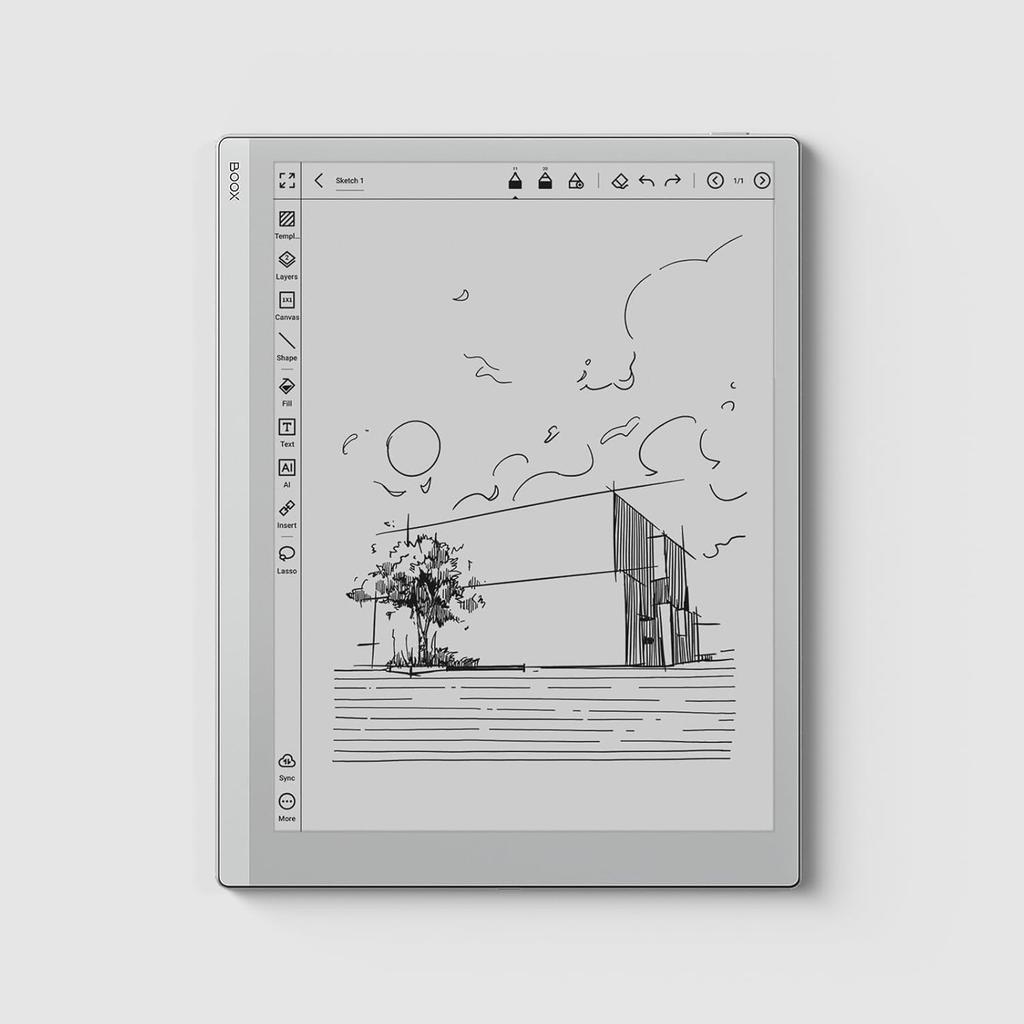
Download and use your favorite apps, such as Google Keep, OneNote, and Kindle, directly from the Play Store. [Note-Taking Features and Customization] The built-in reader app features many tools, including Smart Scribe, allowing you to easily add notes and annotations to files like PDFs, EPUBs, and PPTs. The device also offers a variety of art tools, allowing you to vividly capture your inspiration using a variety of brushes and strokes. Smart Scribe allows you to easily create precise shapes and straight lines in seconds. Additionally, Free Lasso and Smart Lasso allow you to easily organize your notes, select entire objects or parts of them, and move them freely. Users can import custom templates to create even more unique content. [Sharing Features and Cloud Services] Go 10.3 features the ability to upload notes and ideas to the free Onyx Cloud, allowing you to easily share them with other devices and users. BOOX keeps all new and updated notes and ideas up-to-date.
BOOX offers 10GB of free Onyx cloud storage to new and existing users, allowing them to save and securely store notes online, regardless of the model purchased. We also promise to provide free firmware updates for all models for more than three years from the product launch date. [Accessories and User Interface] BOOX Go 10.3 comes with a magnetic protective case and magnetic stylus, Pen Plus. The case securely attaches to the device with a strong magnet, ensuring use on the go. The flap is easily removable, making it suitable for lightweight travel. Pen Plus works right out of the box, requiring no pairing or additional power. The user interface has been completely updated, featuring a simple and sleek design. Optimized with the latest BOOX firmware, it provides users with a refreshed experience.






![Lenovo Japan (Cons) ZA3V0031JP [Cons] Lenovo Yoga Smart Tab (10.1/Android 9.0/Iron Gray/3GB+32GB/No WWAN)](https://img.joomcdn.net/d200e83ba5725352da34259aed3c1f165f2dd048_100_100.jpeg)





![[Refurbished Product] Apple iPad (7th Generation) Wi-Fi + Cellular 32GB Space Gray (Refurbished Product)](https://img.joomcdn.net/9f5f8810629b4dc50bc8726d159500fd365a2f8d_100_100.jpeg)
