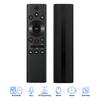
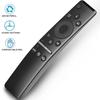
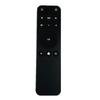
Description:
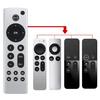
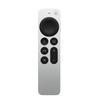
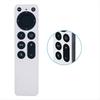
Product: Remote Control
Color: Black
Type: compatible For iphone TV4 A1513 MLLC2LL/A EMC2677
Charging method: built-in battery charging
Charging time: about 3-4 hours
Size: 140x80x45mm/5.5X3.1X1.8in
The Basics: To move the touchs surface around the screen, just swipes up, down, left, or right. To select an item, highlight it and press down on the touchs surface. To scroll through the list, flick up or down a few times. If there is an index next to the list, swipes right and highlight a letter to its position in the list;
TV/Home: To see your latest apps, press the TV/Home button twice. If your country or region supports the TV app, press the TV/Home button to open the app and go to the home screen again. If not, press the TV/Home button to go to the home screen;
How to connect: After receiving the remote, charge it first, and then connect one end of the iPhone charging cable to the flash port on the bottom of the iTV remote. Connect the other end of the cable to a computer USB port or an iphone USB power adapter. The iTV remote's battery takes three hours to fully charge. After charging, hold it close to the TV 4 box, press any key or press and hold the menu key and volume + at the same time to pair again. The screen will show that you are connected
Packing list:
1 x Instructions
1 x 4th Generation Remote Control
1 x Packing Box
Note:
1. Due to manual measurement, please allow 1-3 cm error. Make sure you don't mind before bidding.
2. Due to the difference of different monitors, the picture may not reflect the actual color of the product. Thanks.


 No-delivery refund