―🔹―🔹―🔹―🔹―🔹―🔹―🔹―🔹―🔹―🔹―🔹―🔹―
🛫【Certified Store on JOOM】
A Japanese seller delivering high-quality products across borders!
📦【Shipped from Japan】
We pack carefully and deliver promptly and securely.
🔍【Strict Inspection Based on Japanese Quality Standards】
Only carefully selected products of excellent quality are delivered.
📒【Japanese Instruction Manual May Be Included】
We recommend using a text recognition app for translation.
👍【If you are satisfied with the product, please "Follow" our store and leave a review!】
Your support means a lot to us 💖
―🔹―🔹―🔹―🔹―🔹―🔹―🔹―🔹―🔹―🔹―🔹―🔹―
【Attention! Please be sure to read before purchasing.】
【Voltage Compatibility】
When using electrical appliances, please note that they are designed for Japanese voltage specifications (90-110V), so if you use them with a different voltage, it may cause a malfunction.
【Plug Type】
Our products use Japanese plug types (A or B type). Please use a conversion adapter if necessary.
【Important Note on Transformers and Adapters】
A transformer adjusts voltage to match your device’s requirements. A conversion adapter only changes the plug shape and does not adjust voltage. Using only a conversion adapter without a transformer may result in damage to the product.
【Liability】
We are not responsible for malfunctions or damages caused by improper use, such as operating the product without a transformer.
■What is a thermal label printer?
The thermal label itself has a thermal layer on the label itself, and the thermal layer reacts with the heating element of the printer to produce color, so no ink is required.
This printer is recommended for restaurants and hospitality businesses that want to avoid printing problems due to ink exchange or ink loss.
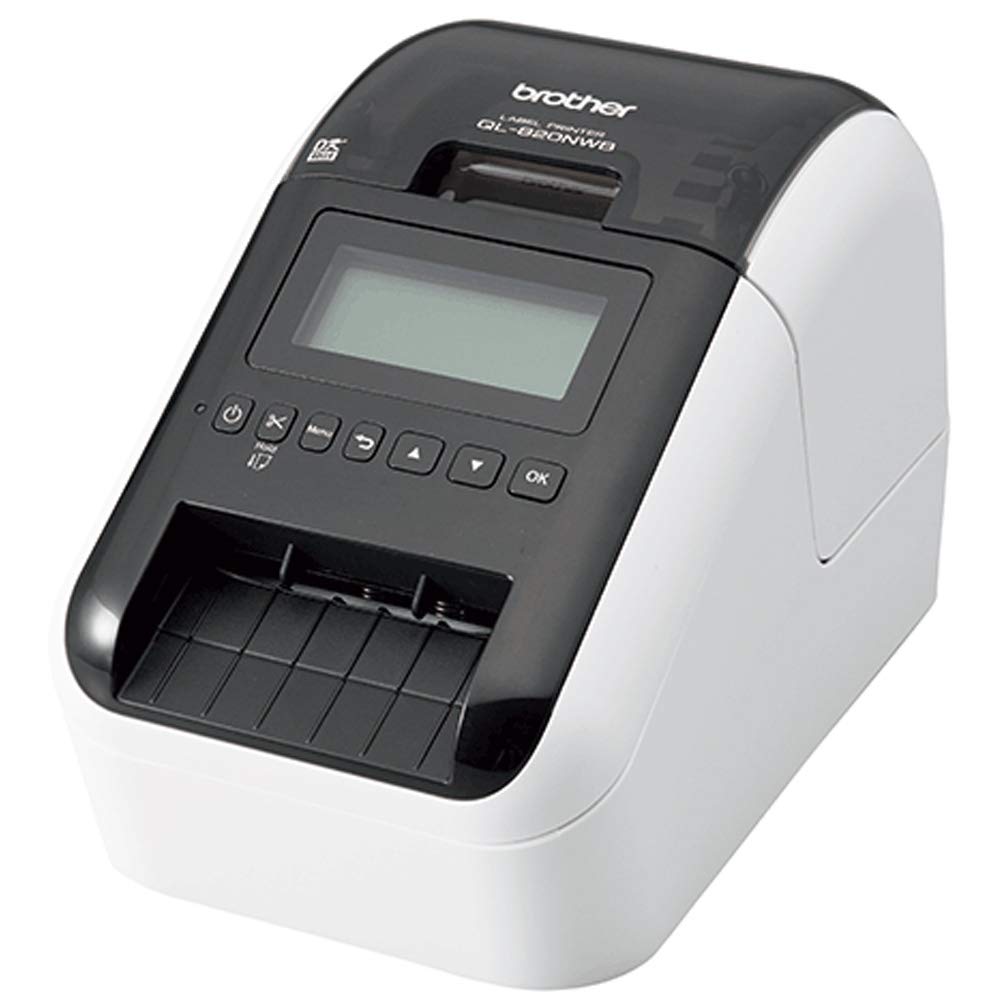
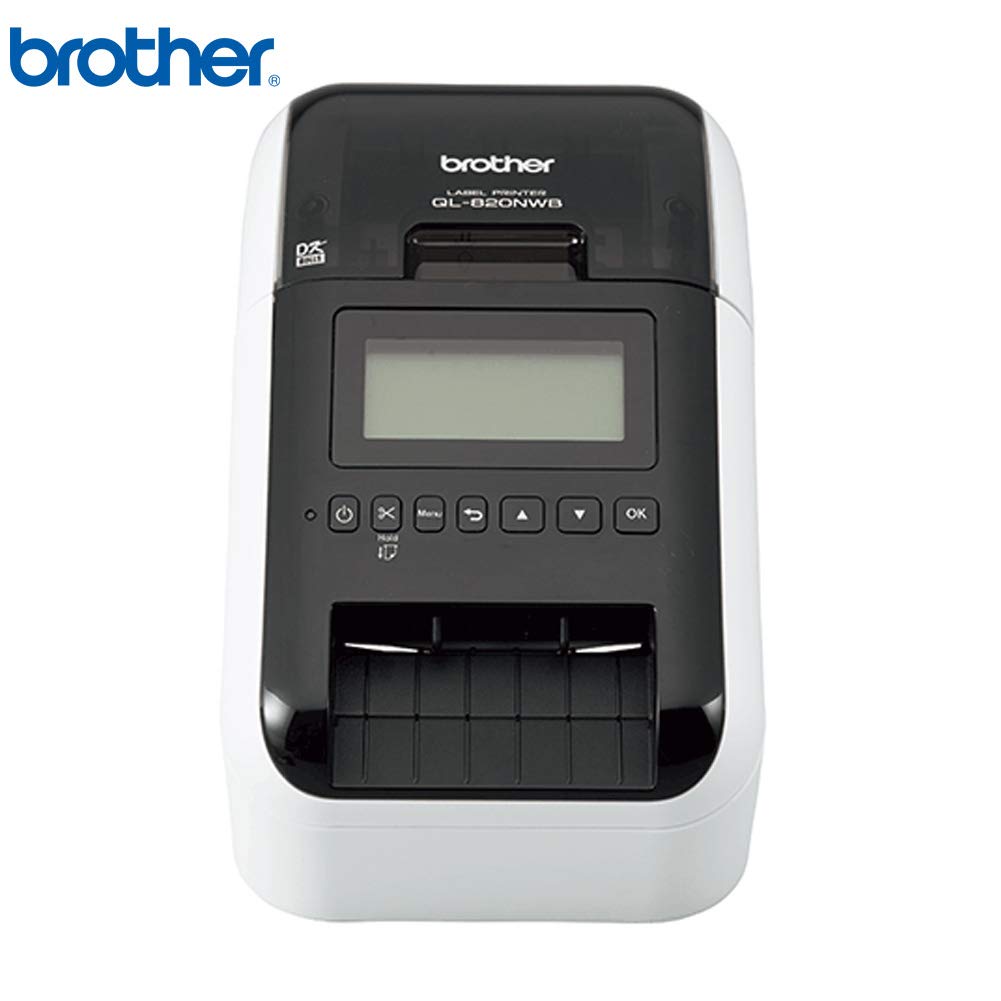
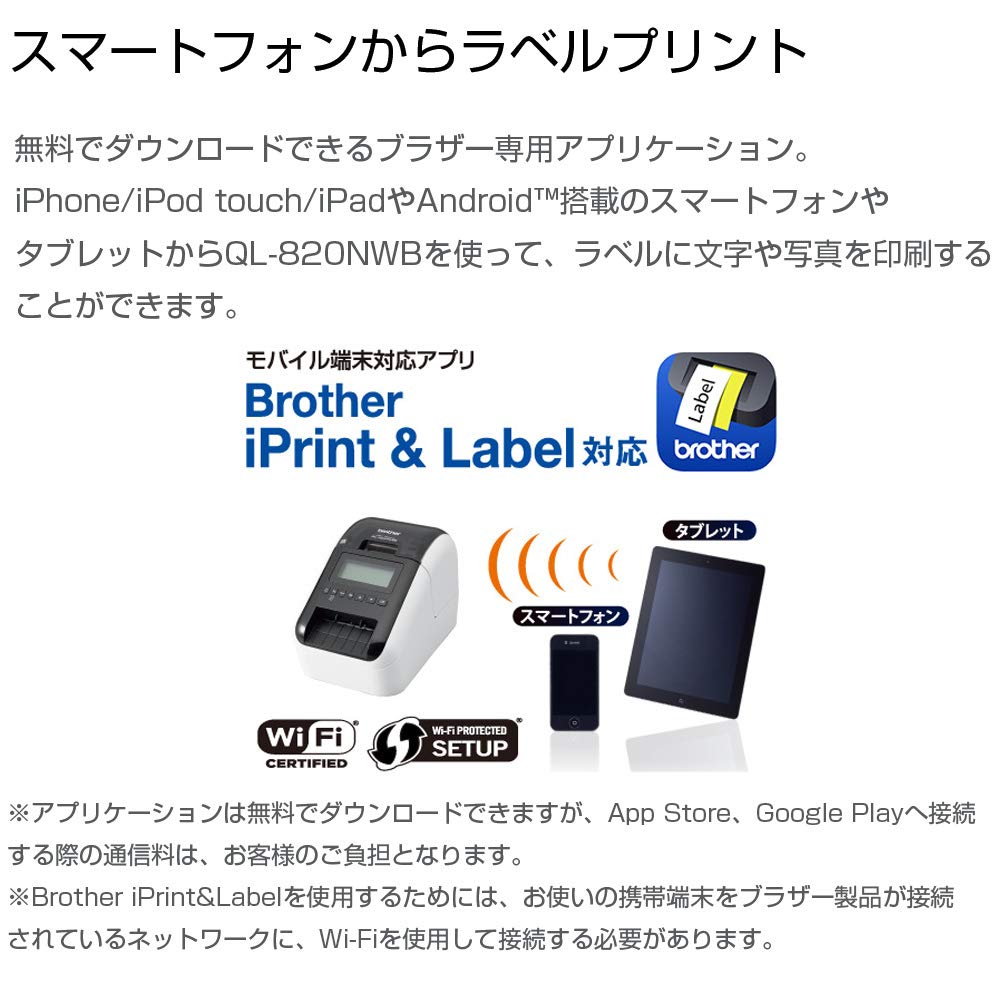
QL-820NWB thermal label printer that can also be printed from smartphones
■ Product Point 1:
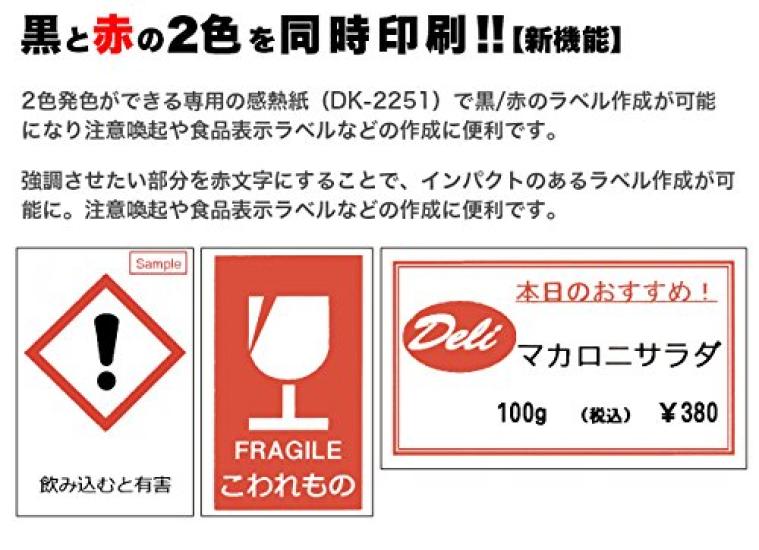
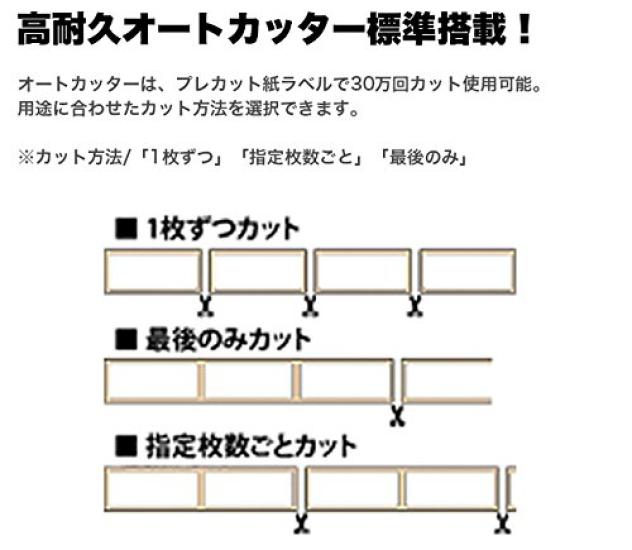
In addition to the high durability auto cutter, it also has a two-color black and red function that is convenient for making food label labels.
The tape width is 23–62mm, providing ultra-fast printing up to 176mm/sec.
■ Product Point 2:
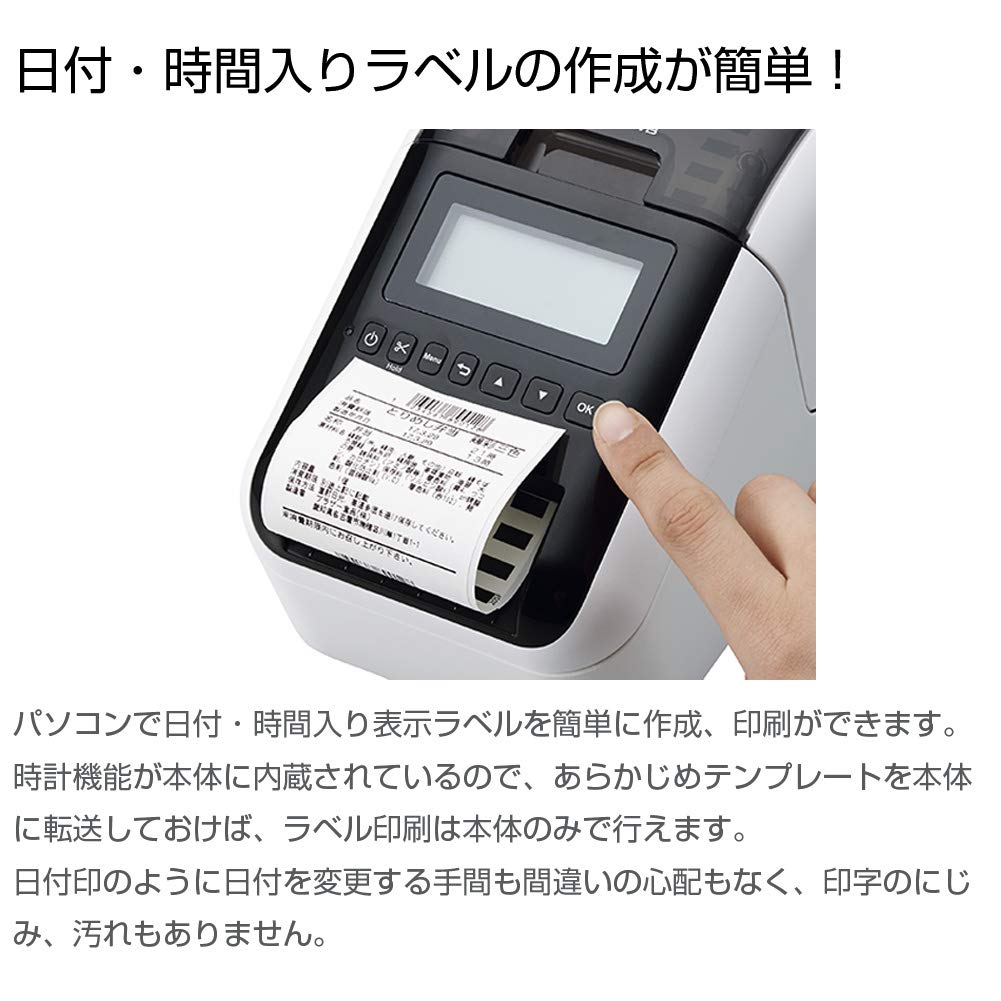
It has a built-in clock function, so it automatically prints the expiration date and time of the expiration date.
■ Product Point 3:
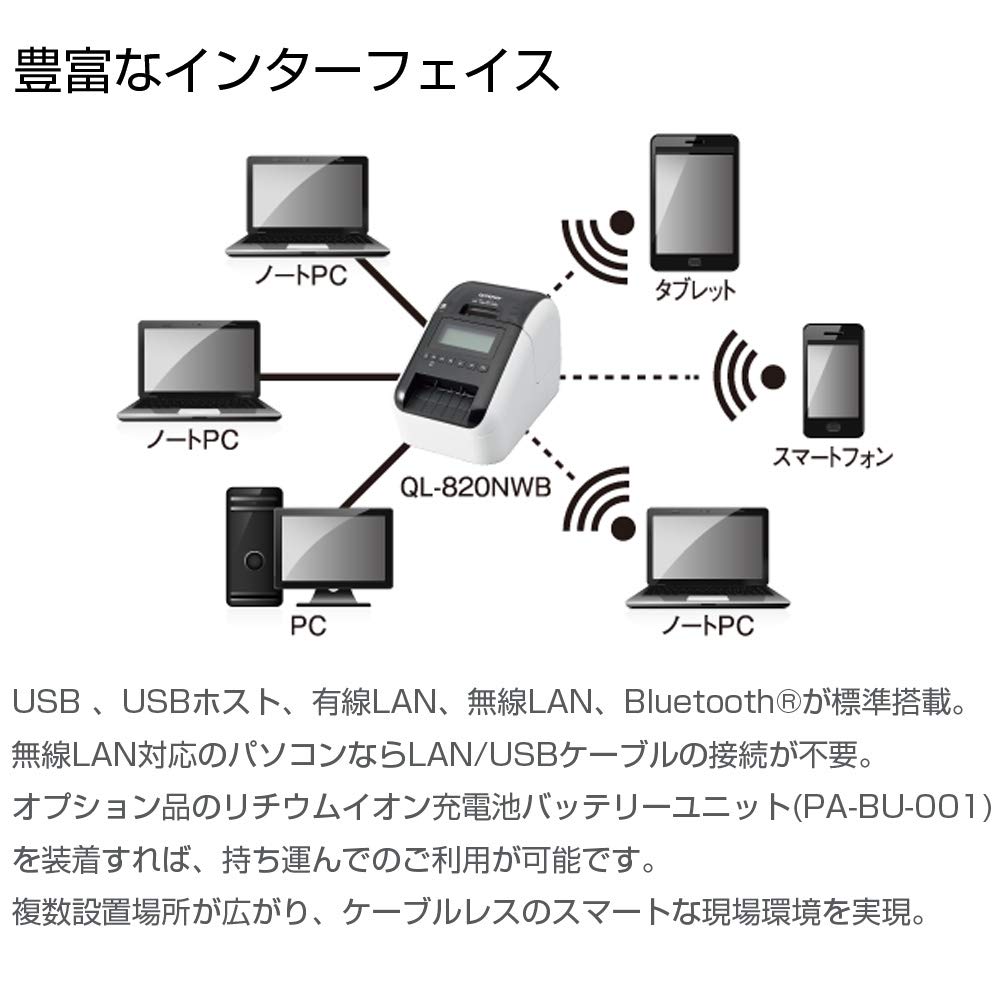
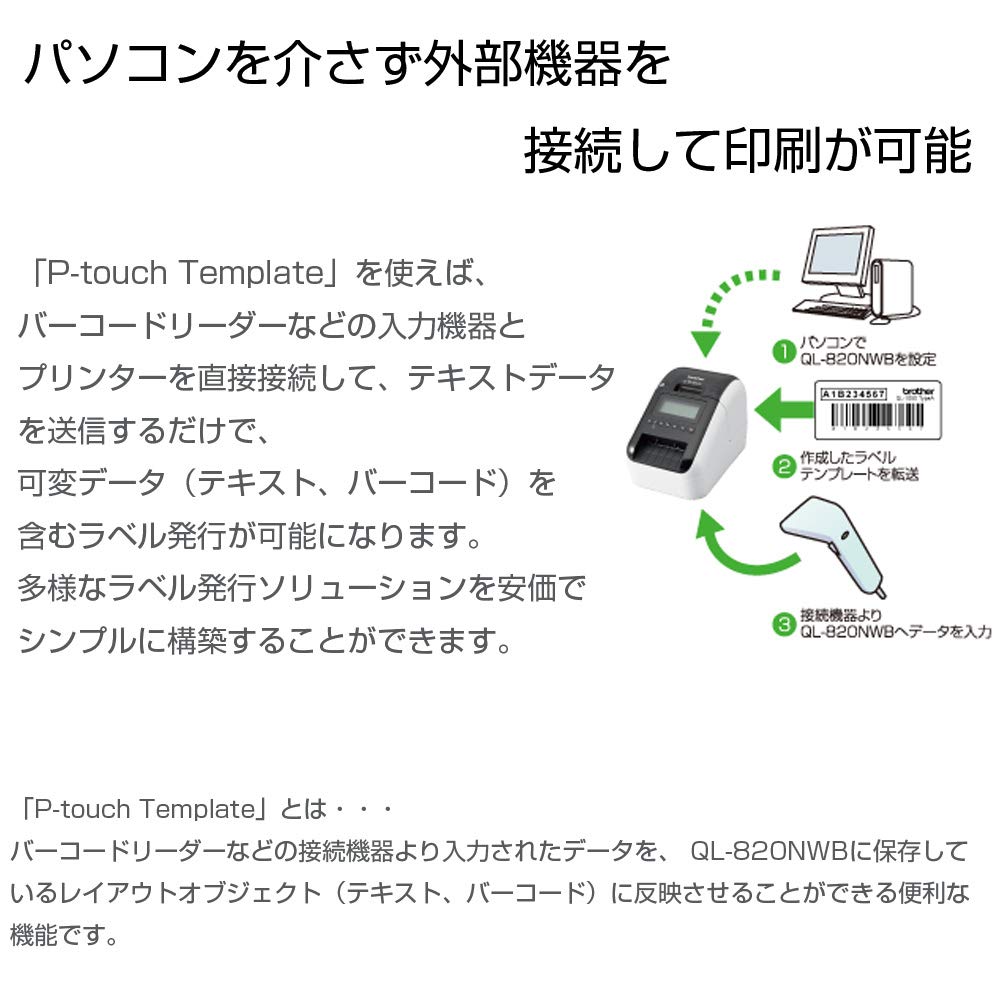
Standard USB, USB host, wired and wireless LAN, and Bluetooth. It is a free downloadable Brother-only app that allows you to print from your smartphone or tablet.
Recommended for people like this!
We use a variety of labels, but we want to omit printing settings.
The number of prints is not that large.
I want to use a mixed black and red label.
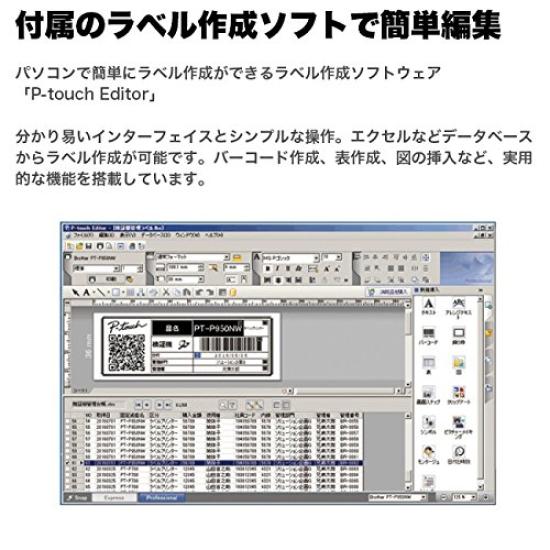
■ Create and print labels on PCs, smartphones, and tablets!
P-touchEditor
[For PC use]
When creating and printing label data, you can take advantage of the PC software "P-touch Editor" that comes with the QL-820NWB free of charge.
You can create original label designs and utilize pre-registered label design templates.
iPrint&Label
[For smartphones and tablets]
If your PC is not available, you can use iPrint & Label, a free software that allows you to create and print label data on mobile devices such as smartphones and tablets.
■ Labeling techniques!
Expiration date label, food label, allergy label
If a restaurant that was originally open starts taking out or delivering food, there is no obligation to mark the expiration date or food. However, it is more convenient for buyers to have a time limit label, a food label, and an allergy label. For example, even if you are worried about food allergies, if you have a label that informs you of the ingredients and seasonings you are using, you can check them before eating them.
"Cautionary points when eating" display
It would be good to have a label with the words "Refrigerate Required" and "Please heat it up in the microwave for 〇 minutes before eating" so that you can eat it in the best condition possible. It is also helpful for buyers to be able to identify the orderer with labels such as "Beware of extreme hotness" and "without wasabi." You should prepare several labels to suit the menu.
sealing label
We also recommend a "sealing label" that indicates that packaging and containers have not been opened during delivery and display. "If you design it in consideration of the combination of handbags and containers, it will also be a ""fashionable"" production."
Shipping & Contact Labels
In addition to the product name, a label printed with the orderer's address and name will help you match the orderer with the product. In particular, in the case of delivery, if there is a "destination label", the person in charge of delivery will show his/her strength in checking the delivery address and the product with the orderer. "Also, if you have trouble identifying the room number of the building or condominium because of the ""Contact Label"" you can contact the orderer to confirm the delivery address." It is also useful as a tool for package design if you devise the appearance by matching it with the design of containers and handbags.
No Included Components
Print Media Labels
Scanner Type Portable
Supported Device Tablets, Smartphones
Sheet Size 23mm to 62mm
manufacturer brother
Product Size 12.5 x 23.4 x 14.5 cm; 600 g
Product Model Number QL-820NWB
It was discontinued by the manufacturer No, I don't
form factor all-in-one
communication type Bluetooth
OS not_machine_specific
Brand Brother Industries, Inc
Connectivity Technology Bluetooth, Wi-Fi, USB
printing technology thermal
Features Wireless LAN (Wi-Fi) Wired LAN Smartphones
color white
Printer Output Monochrome
Maximum Print Media Size 3 x 5 inches


![BROTHER PC Address Label Printer Product [Brother] QL-800](https://img.joomcdn.net/44652214d6fb556e85cb54fec77b6572aca039dd_100_100.jpeg)


![BROTHER PC Address Label Printer Product QL-700 [Product]](https://img.joomcdn.net/eb1b47e63e226331ae96cec004e48ad5e664b320_64_100.jpeg)
![BROTHER PC Address Label Printer Product QL-700 [Product]](https://img.joomcdn.net/019c1038cd152b3a4071d5e5660e8ea1593237d5_64_100.jpeg)

